A portable power station can keep lights, communications, refrigeration and medical equipment running when the grid goes down. Yet the market is crowded with similar-looking boxes and very different specifications. Choosing well starts with the equipment you actually need to power, then works backward through battery capacity, output, charging speed and long-term ownership.
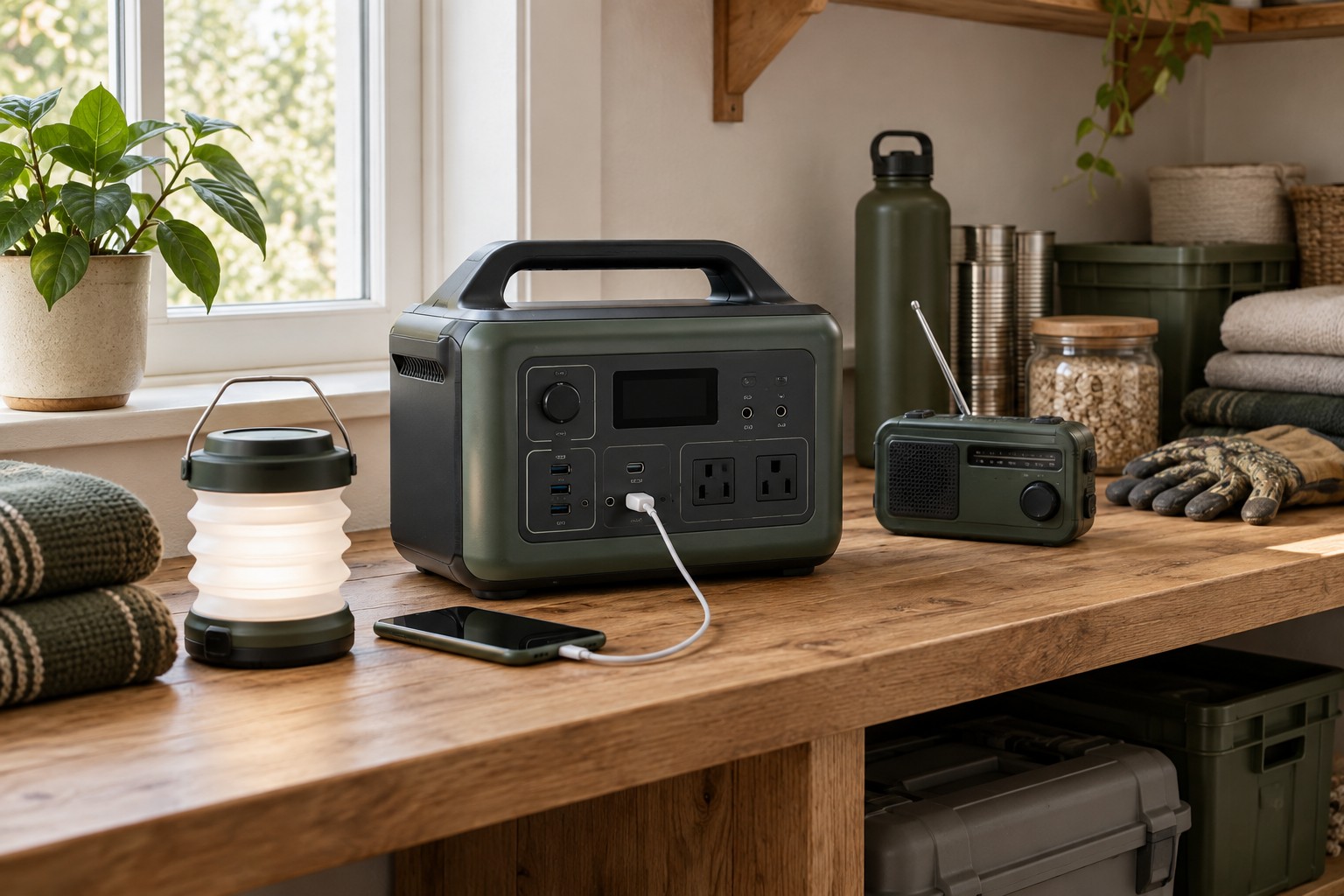
Start with the devices you need to run
Make a short list before comparing products. Include each device’s running wattage and the number of hours you expect to use it. A phone charger may draw less than 20 watts, a router around 10 to 20 watts, and a small refrigerator can cycle between roughly 50 and 200 watts. Appliances with motors may demand a much higher burst when they start. The label on the appliance, its manual or an inexpensive plug-in power meter can give you a more reliable figure than a broad online estimate.
Separate essential loads from conveniences. Lighting, communications, a CPAP machine or a refrigerator may belong in the first group. A kettle, space heater or hair dryer draws a large amount of power for a task that might be handled another way. This exercise often saves more money than buying the largest battery available.
Understand watt-hours and usable capacity
Battery capacity is measured in watt-hours (Wh). In simple terms, a 1,000Wh battery could theoretically run a 100-watt load for ten hours. Real runtime will be lower because the inverter, cooling system and battery management electronics consume energy. Temperature, battery age and conversion losses also matter. For a quick planning figure, multiply the rated capacity by about 0.8 to estimate usable AC energy, then divide by the average load.
For example, a 1,000Wh unit with an assumed 800Wh of usable energy might support an average 80-watt load for about ten hours. A refrigerator is harder to calculate because its compressor cycles on and off, so a full-day test with a power meter is more useful. Leave a reserve rather than planning to drain the battery completely during every outage.
Check continuous and surge output
Capacity tells you how long the station can run; inverter output tells you what it can start and operate. Continuous output should exceed the combined wattage of all devices you may use at once. Surge output needs enough headroom for refrigerators, pumps and power tools. A pure sine-wave inverter is the safer choice for sensitive electronics and motor-driven appliances because it more closely resembles household AC power.
Do not treat a high surge number as permission to overload the unit continuously. Check the manual for how long surge power is available, and look for independent tests that use realistic loads. Some power stations reduce output as the battery gets hot or approaches empty.
Compare charging methods and solar input
Fast wall charging is valuable when electricity returns for only a few hours. Compare the time required to reach 80 percent as well as a full charge, since charging often slows near the top. A car socket is useful on the road but usually delivers much less power. Solar charging adds flexibility, although the advertised solar input is a maximum rather than a promise of daily performance.
When planning solar, check the station’s input voltage and current range, connector type and maximum wattage. The panel array must stay inside those limits. Clouds, shade, heat and panel angle can cut output sharply, so allow extra panel capacity and daylight hours. Proprietary connectors may require an adapter that is easy to overlook when budgeting.
Look beyond the number of ports
A useful port layout matters more than a long list. Check whether large AC plugs block neighboring outlets and whether USB-C ports provide enough Power Delivery output for your laptop. A regulated 12-volt socket is helpful for portable refrigerators and other vehicle accessories. Physical buttons for AC, DC and lighting circuits make the station easier to operate in the dark than an app-only interface.
The display should show input power, output power, remaining charge and a believable runtime estimate. If you plan to use the unit as a backup supply, confirm how pass-through charging works and how quickly it switches during a power failure. Some models are suitable for computers, while others may briefly interrupt power. Follow the manufacturer’s limits rather than assuming every station functions as a full uninterruptible power supply.
Consider battery chemistry, safety and lifespan
Lithium iron phosphate, usually labeled LiFePO4 or LFP, has become common because it offers a long cycle life and good thermal stability. Other lithium-ion chemistries can provide more energy for their weight, which may suit frequent travel. Compare the manufacturer’s cycle-life claim at a stated remaining capacity, such as 80 percent, and read the warranty terms rather than relying on the chemistry name alone.
Look for a battery management system that protects against overcharging, excessive current, short circuits and high temperature. Certification from a recognized testing body adds confidence. Operate the station in a dry, ventilated area, keep it away from direct heat and never run a fuel-powered generator indoors to recharge it. A power station stores electricity; it does not create the carbon monoxide risk of a combustion generator, but it still needs sensible handling.
Balance portability with practical ownership
A large battery is reassuring until it needs to be carried up stairs. Check the full weight, handle design and shape. Wheels can help with very large units, but only on smooth surfaces. Fan noise also matters if the station will sit beside a bed or workspace. Reviews that measure noise under both charging and heavy discharge are more informative than a vague claim of quiet operation.
Consider storage and support. The unit should fit in a location with moderate temperature and enough room for airflow. Check whether replacement cables are available, whether the app remains optional for basic functions, and how the manufacturer handles warranty shipping for a heavy battery. Store the station at the charge level recommended in its manual and test it periodically with the equipment you intend to use.
A simple final checklist
- List essential devices, running watts and required hours.
- Estimate usable watt-hours with a margin for losses and aging.
- Confirm continuous output and motor-starting surge capacity.
- Check wall, vehicle and solar charging compatibility.
- Review port spacing, USB-C output and display information.
- Compare battery cycle life, safety certification and warranty support.
- Choose a weight and noise level that work in the intended location.
The best portable power station is not automatically the model with the biggest battery or the most outlets. It is the one sized for a clear set of loads, able to recharge within your likely outage pattern and simple enough for everyone in the household to operate. Define that job first, verify the numbers, and the crowded specification table becomes much easier to evaluate.